Beechcraft Duchess
instrument panel reconstruction.
A Beechcraft Duchess instrument panel digitized from the physical aircraft and translated into engineering CAD geometry to support a replacement panel design.
- Aircraft
- Beechcraft Duchess
- Discipline
- 3D scanning · Reverse engineering
- Working data
- Physical panel → scan → CAD
- Design objective
- Replacement instrument panel
ENGINEERING SUMMARY
Project scope and interpretation
- Engineering question
- How can a scanned existing aircraft instrument panel be reconstructed as CAD geometry for a subsequent design task?
- System / operating scope
- Beechcraft Duchess aircraft instrument panel and aperture layout, as labelled in the supplied project.
- Work performed
- Captured physical-panel scan views and used geometric measurements to reconstruct boundaries, cutouts and component apertures into CAD.
- Analysis / input basis
- Artec structured-light scanning, mesh processing and geometric CAD reconstruction shown in the visual comparisons.
- Finding or displayed evidence
- The viewer illustrates the progression from scanned panel surfaces to modeled CAD contours and apertures.
- Limits / validation status
- Some missing/inaccessible geometry must be inferred from the available source. Manufacturing acceptance requires suitable measurement and tolerance checks.
- Decision supported
- Create an editable design basis for cockpit-panel modifications and fit planning.
Scanning the existing instrument panel
The instrument panel was captured in its installed context, where every aperture, screw position and boundary has a practical consequence.
Legacy aircraft upgrades begin with a physical reference. The photographs document the existing cockpit and the need to reconstruct a complex arrangement of instrument openings, avionics interfaces and mounting features.
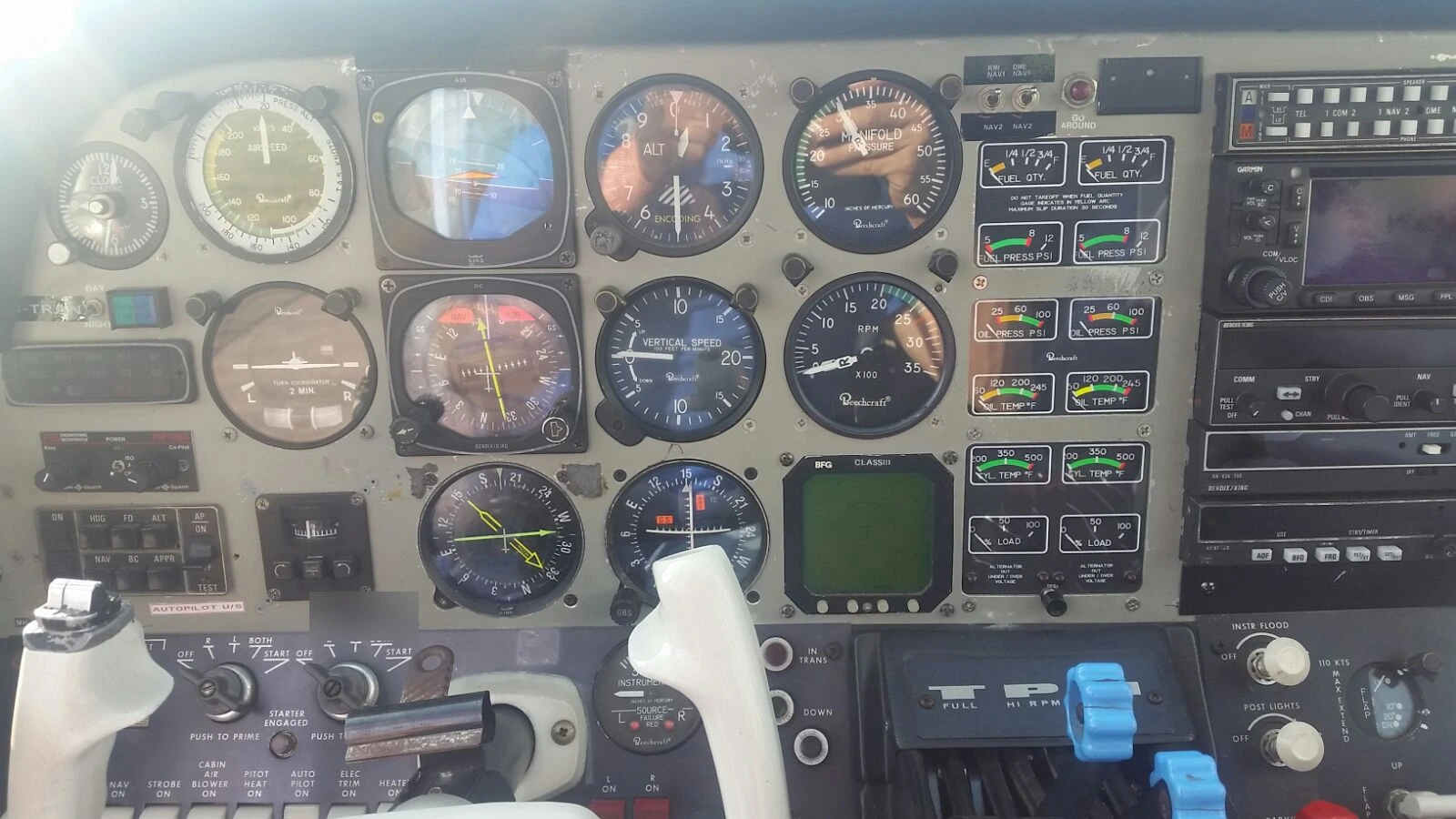
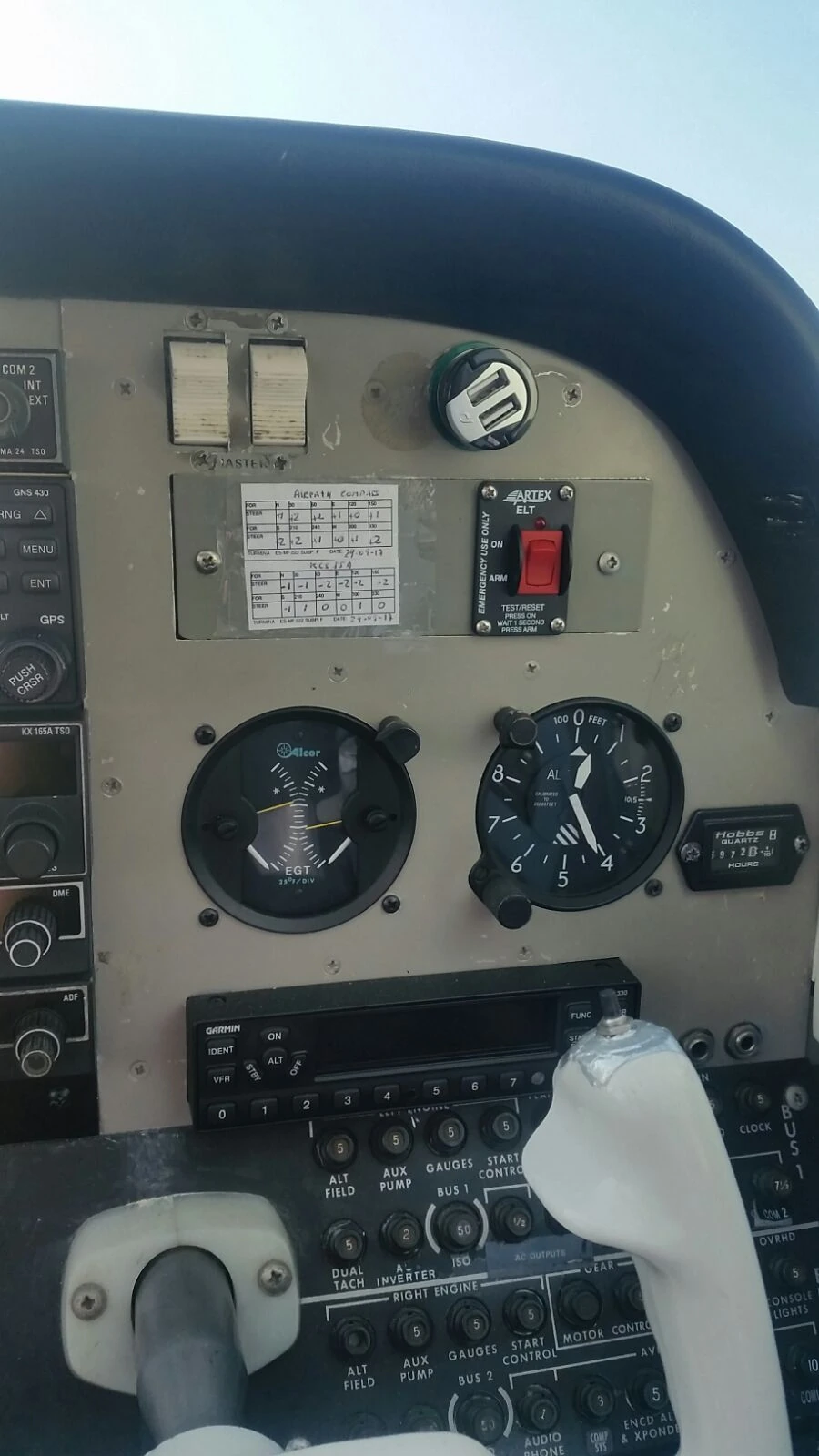
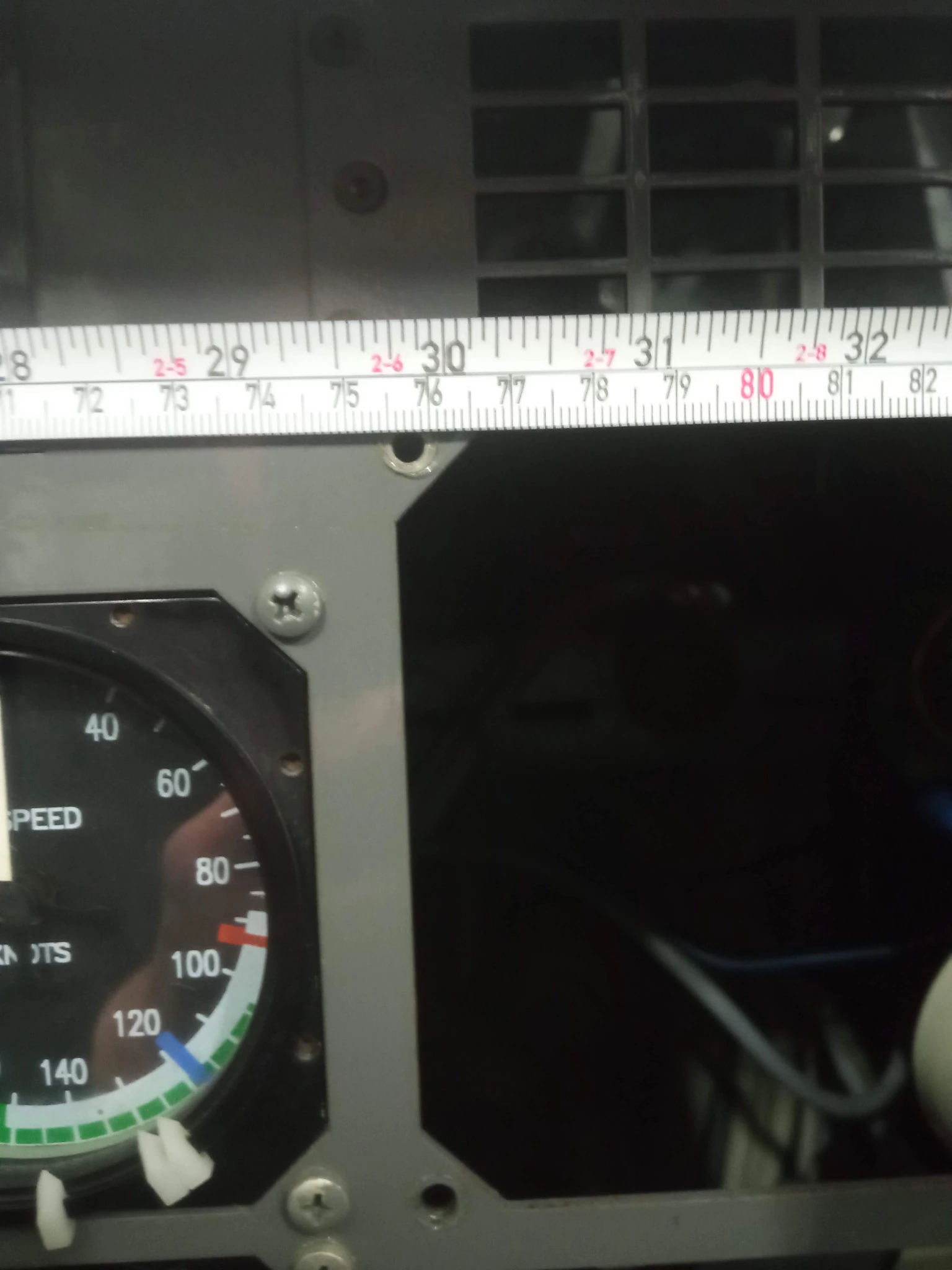
Photograph the installed panel and identify its interface geometry and constraints.
Capture existing surface features and physical arrangement in a common geometry.
Extract the outline and feature layout into a clean panel model for further design work.
Inspect the scanned geometry.
Recorded scan visualization from the project, with playback and timeline scrubbing—not a simulated or AI-generated model.
From scan data to CAD
Move the comparison handle to reveal how the scanned surface becomes a defined arrangement of panel boundaries and apertures.
The GOM Inspect evidence includes a scan/CAD overlay and a separate panel CAD view. The two source views have been registered here in the same plotted millimetre coordinates for an interactive, presentation-oriented comparison.
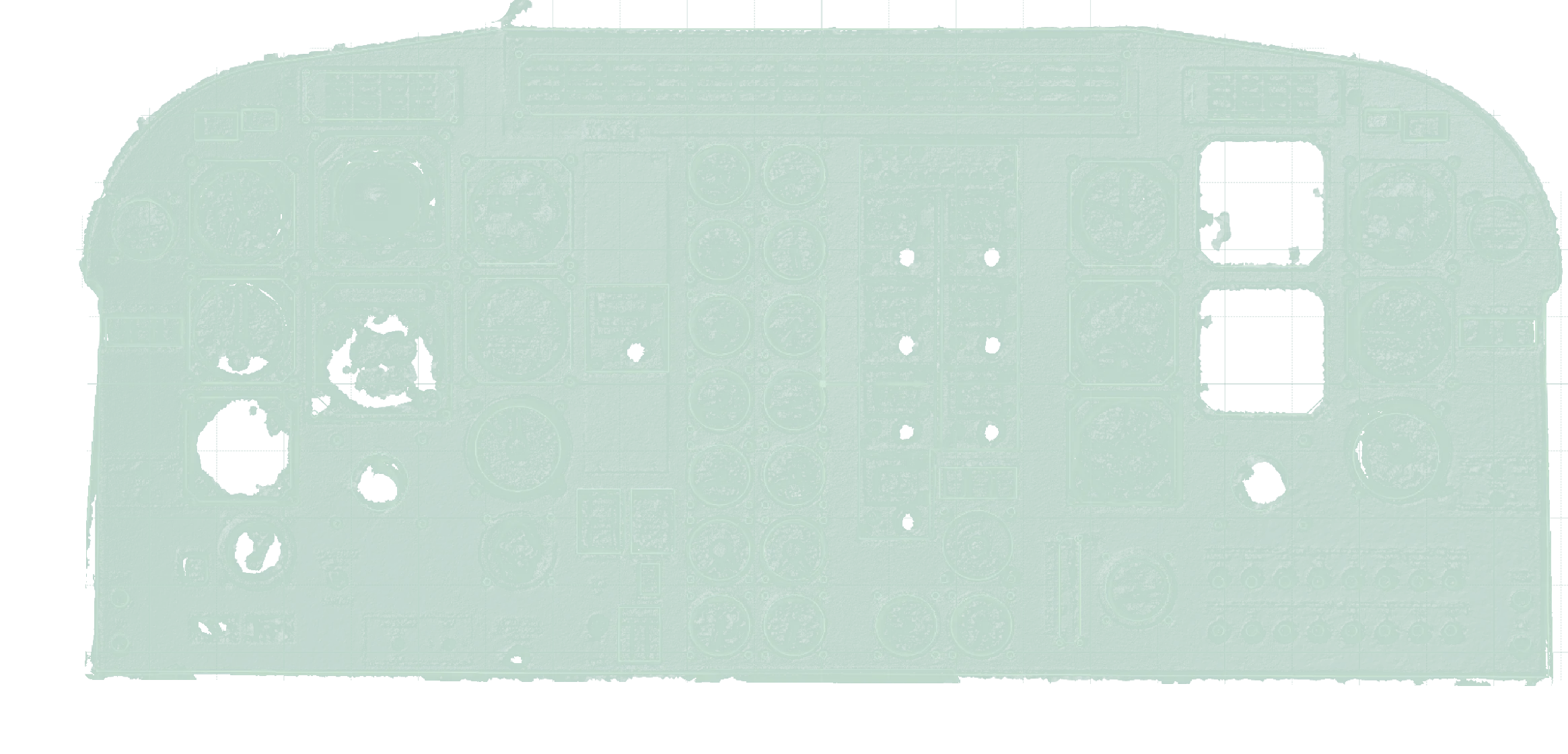
Source integrity: the contours and aperture positions are taken from the supplied report. Colors, background and opacity were adapted for the website. This is a visual comparison—not a quantified deviation/tolerance report. The PDF remains available for inspection.
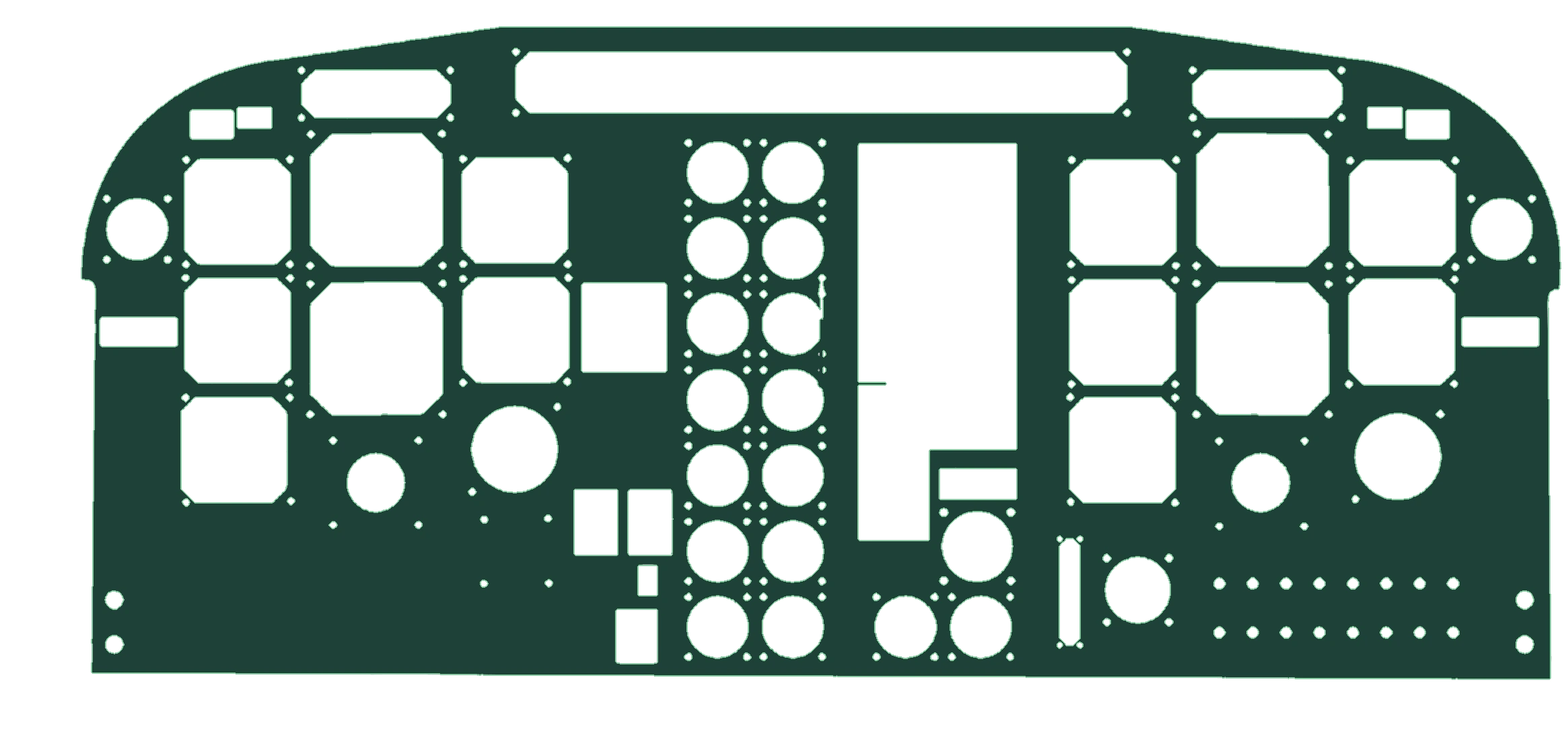
Reconstructed CAD geometry
The key deliverable is not the point cloud alone: it is the reconstructed panel shape and its functional openings.
From physical geometry
to usable panel CAD.
The documented CAD panel captures the outer boundary, major instrument and avionics apertures, circular openings, and repeated mounting-hole patterns visible in the source engineering report.
- Overall outer panel profile
- Instrument and equipment cutout geometry
- Fastener and mounting-hole locations
- Reference geometry for a replacement-panel design
The available material documents the reconstruction, not a fabricated or installed replacement panel. Manufacturing, compliance and fit acceptance would require separate evidence.
Reverse engineering from physical parts
Physical aircraft components, complex retrofit interfaces and undocumented legacy geometry can be captured, analyzed and translated into engineering models for subsequent design and verification.
Reverse engineering
CAD reconstruction
HELICON CONSULTING ↗